One extension. One socket. Full control over every VS Code terminal from the outside. Your AI writes code in one terminal, tests in another, deploys in a third — while you watch.
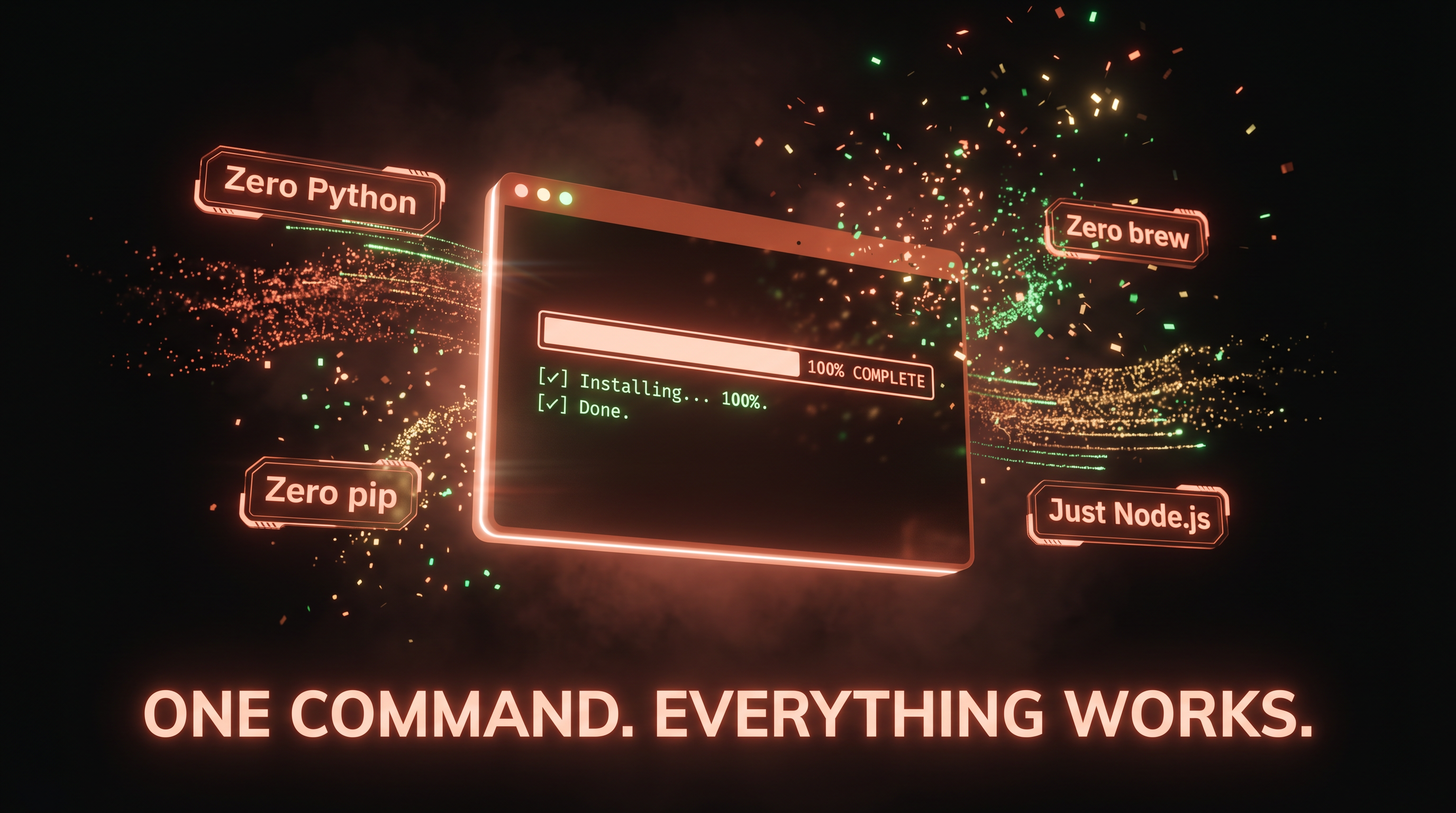
one command · zero dependencies · terminal transforms instantly
Paste this into any Claude Code terminal:
install claws from https://github.com/neunaha/claws — run the install script and set up everything
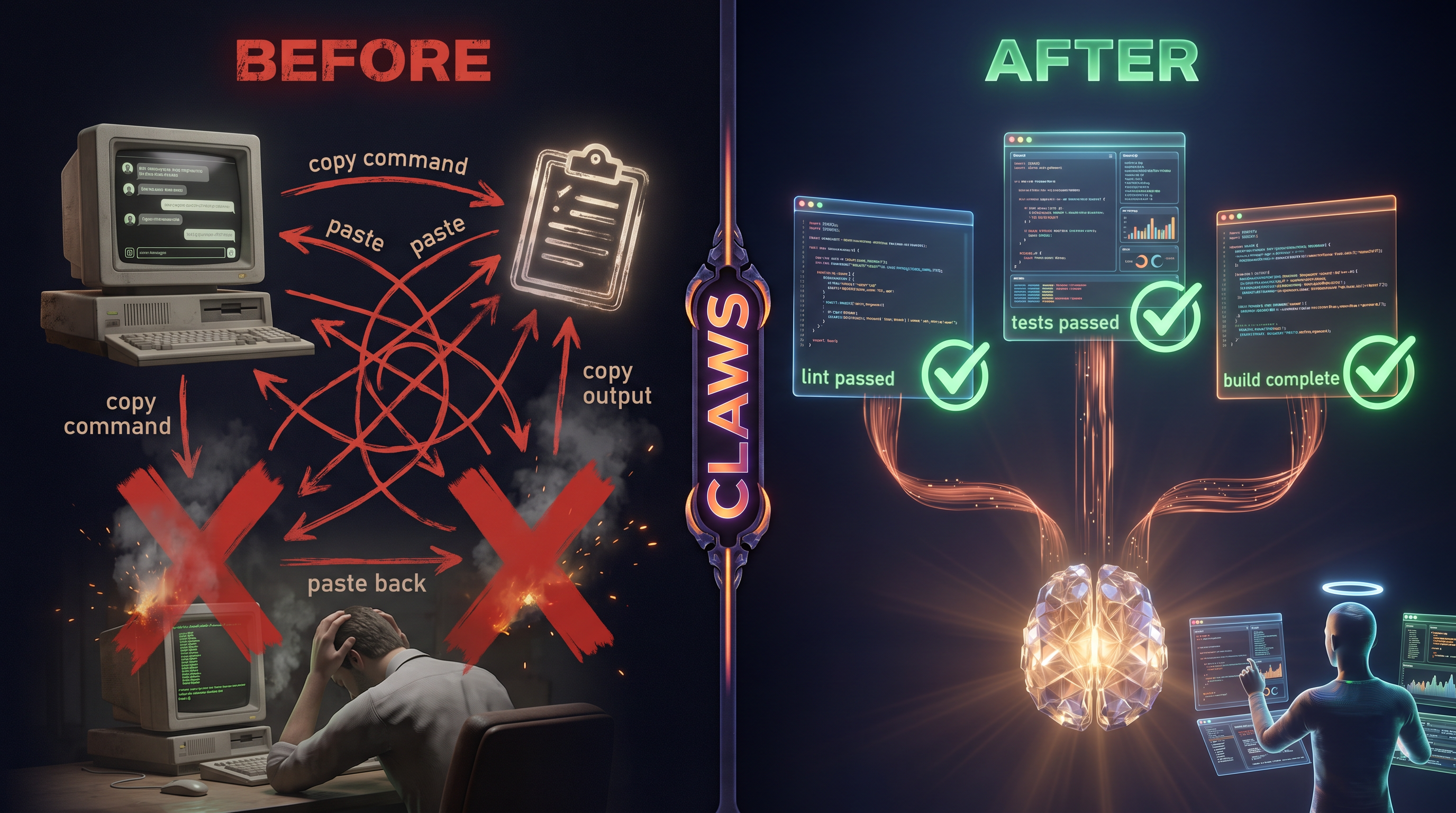
Before: copy-paste loop between Claude and terminal. One terminal. No visibility. After: your AI controls every terminal directly. Parallel workers. Full visibility. You just watch.
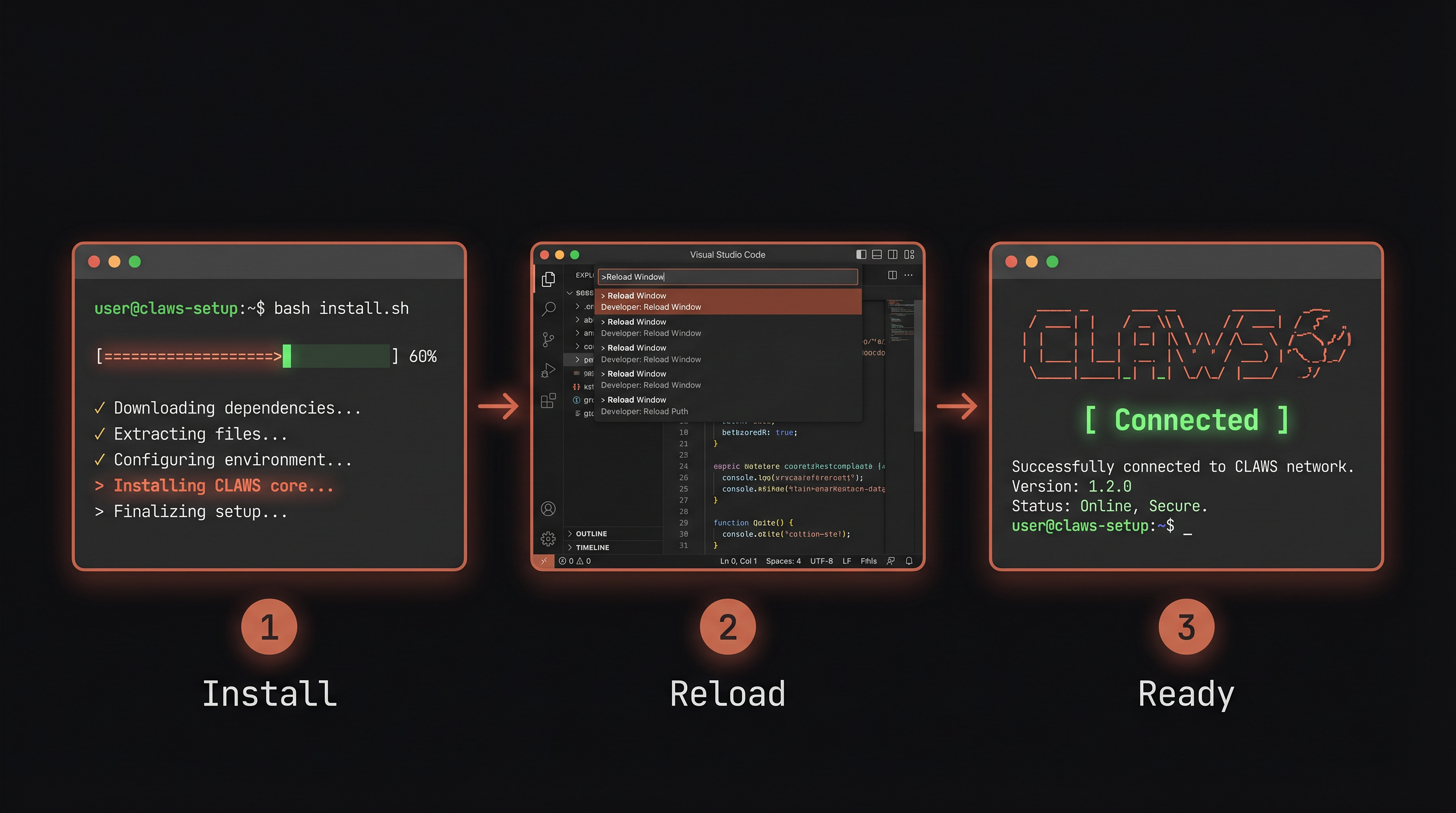
Get Started in 3 Steps
Install → Reload → Ready
Zero dependencies. No Python. No pip. No brew. Just Node.js (ships with VS Code).
What You'll See
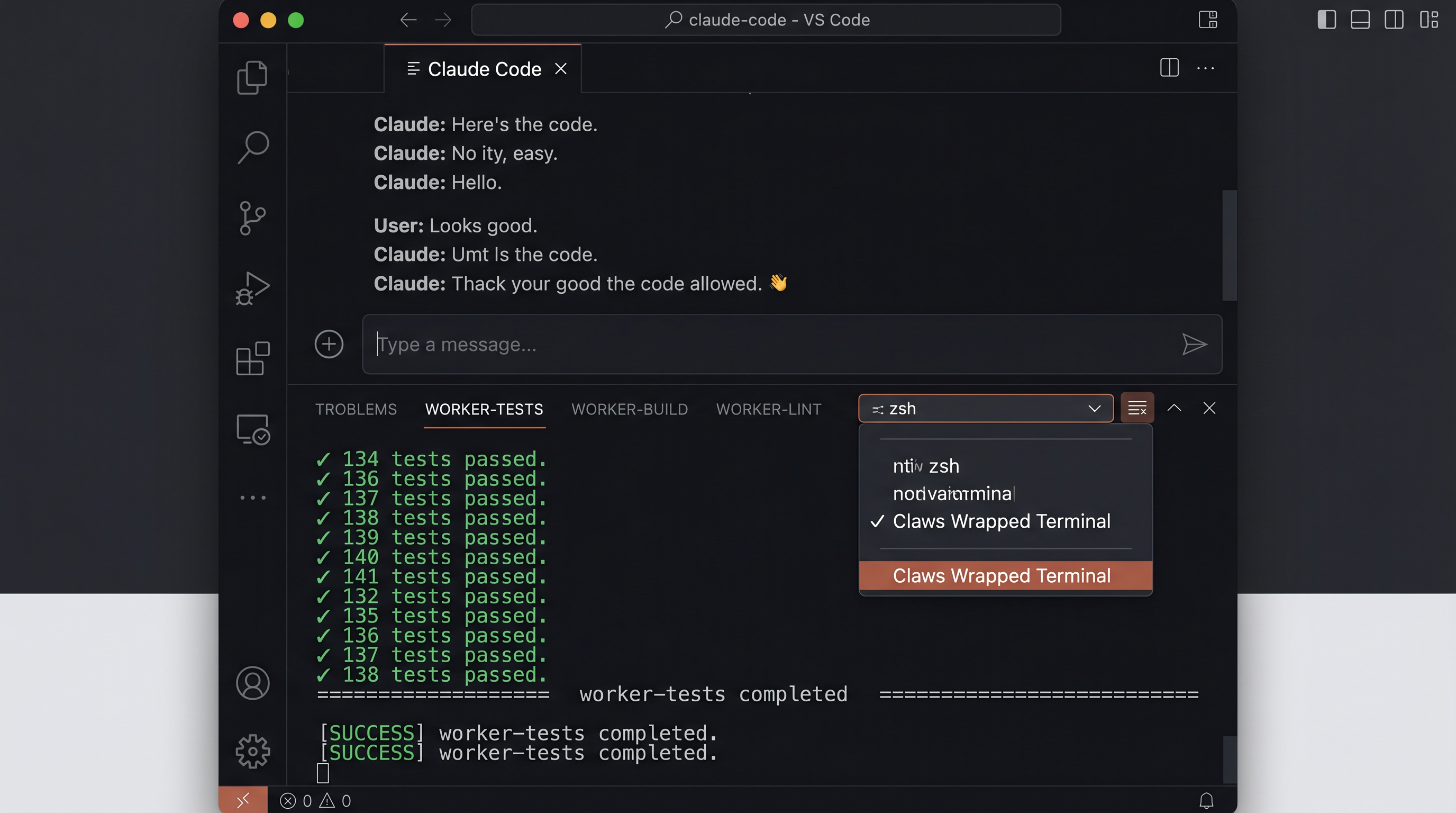
Your terminal transforms
CLAWS banner in every terminal. Worker tabs in the panel. "Claws Wrapped Terminal" in the dropdown. Shell commands ready.
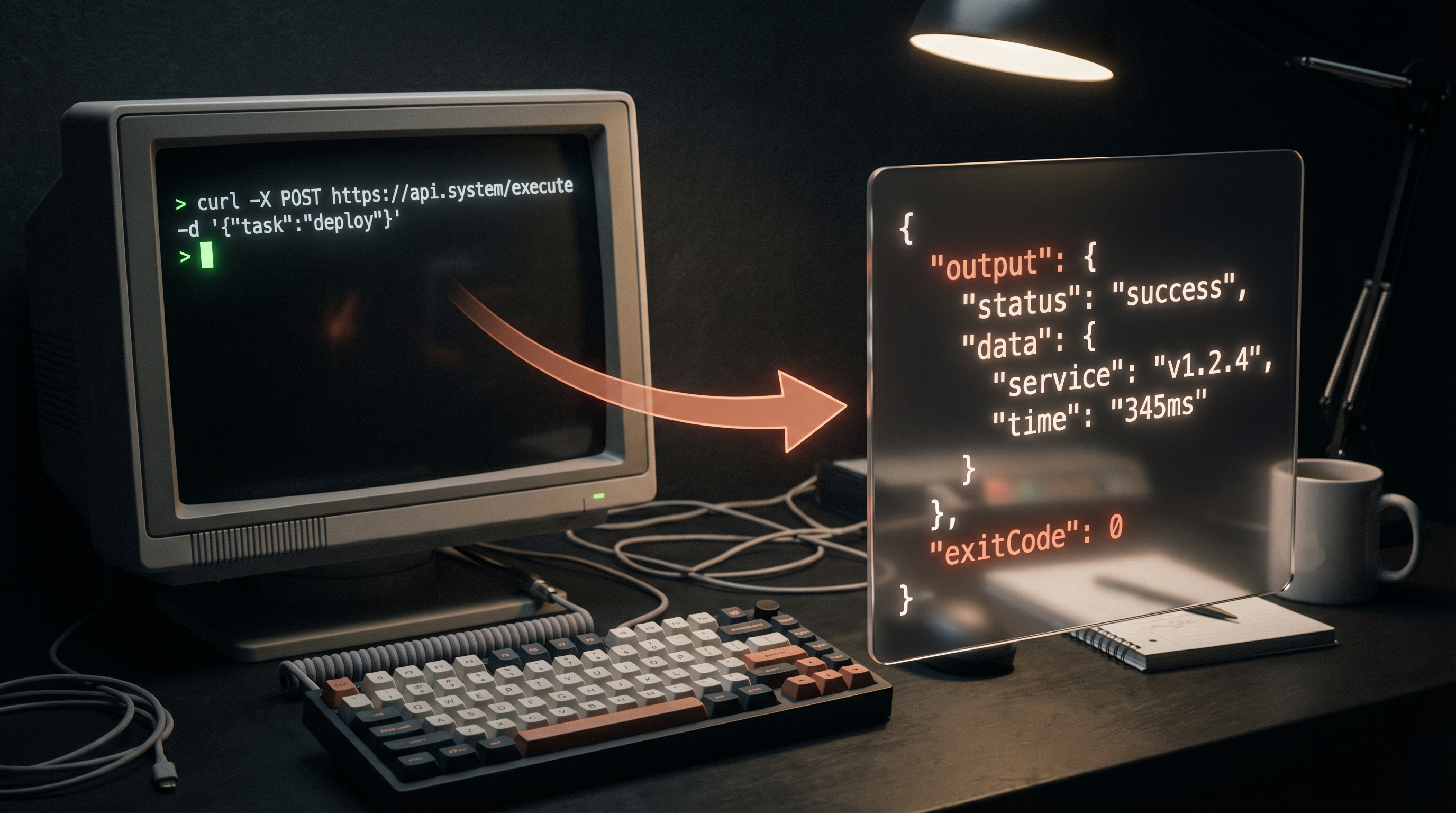
Every developer runs code, builds, AI agents, and servers inside VS Code terminals. But there was no programmatic API to control them from the outside. You couldn't list what's running. Couldn't send a command from a script. Couldn't read the output of an interactive TUI session.
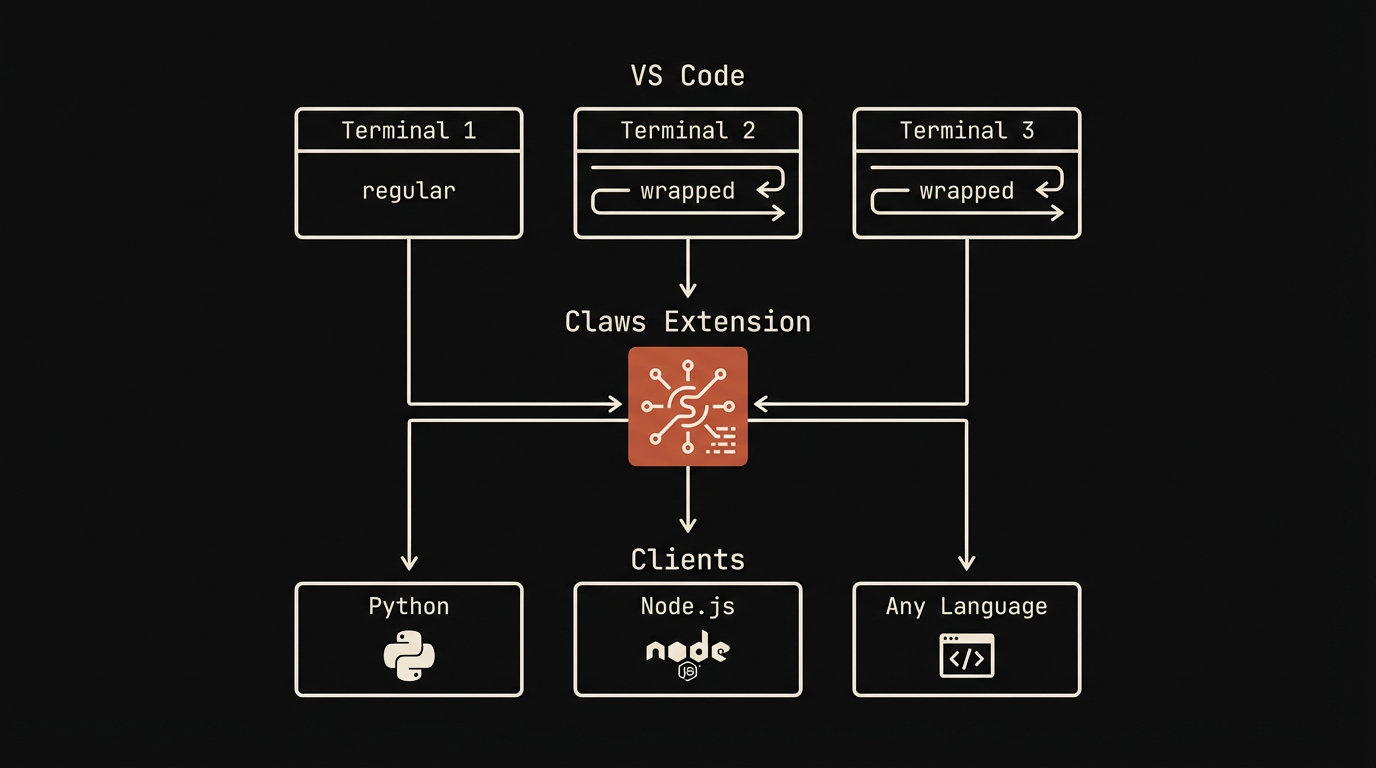
Claws changes that with one extension and 5 lines of code. A socket server inside VS Code accepts JSON commands from any external process — Python scripts, AI orchestrators, CI runners, or other machines on your network.
// Raw socket — works from any language
echo '{"id":1,"cmd":"create","name":"build","wrapped":true}' | nc -U .claws/claws.sock
echo '{"id":2,"cmd":"exec","id":"1","command":"npm test"}' | nc -U .claws/claws.sock
echo '{"id":3,"cmd":"close","id":"1"}' | nc -U .claws/claws.sock

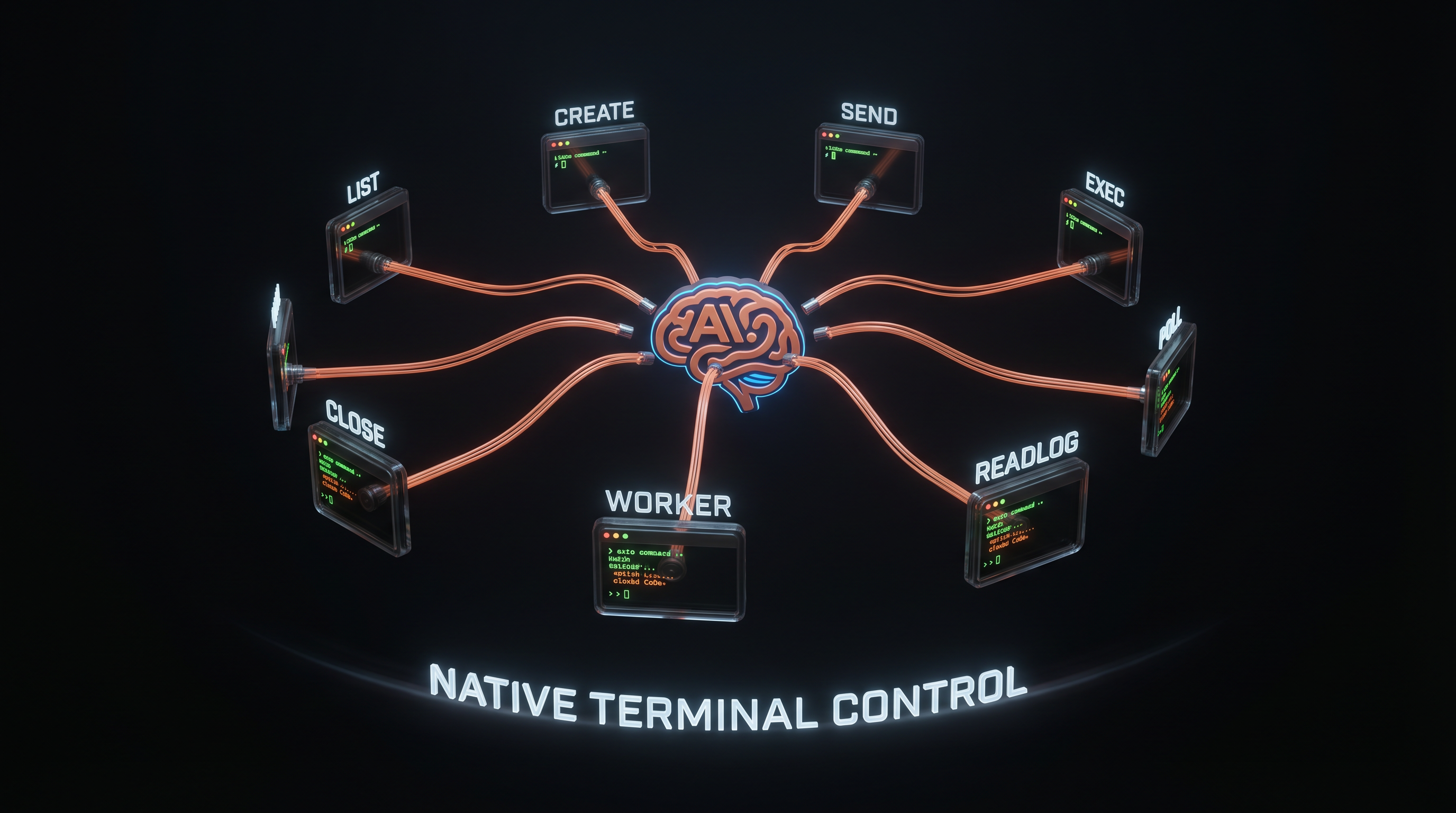
// Or via MCP — Claude Code gets 8 tools natively, zero code needed
Architecture
How Claws works
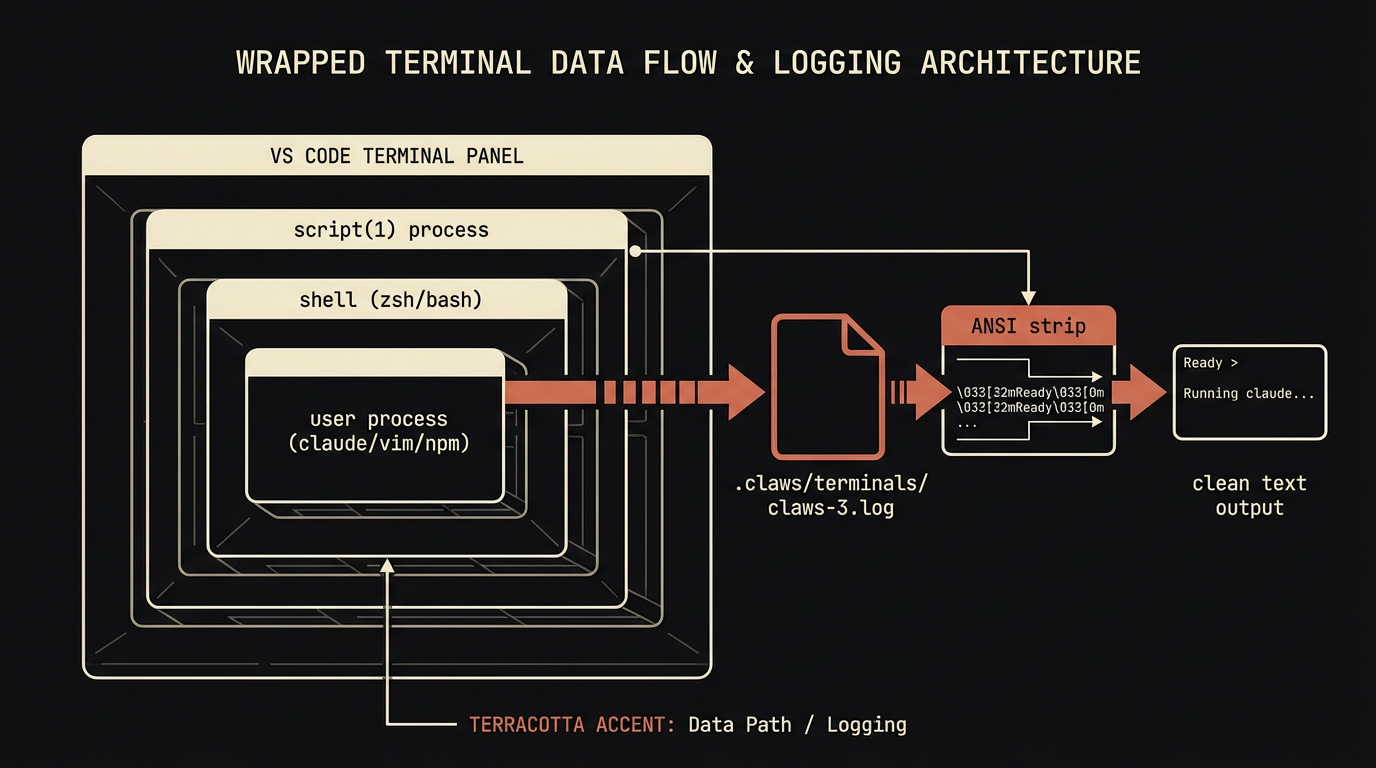
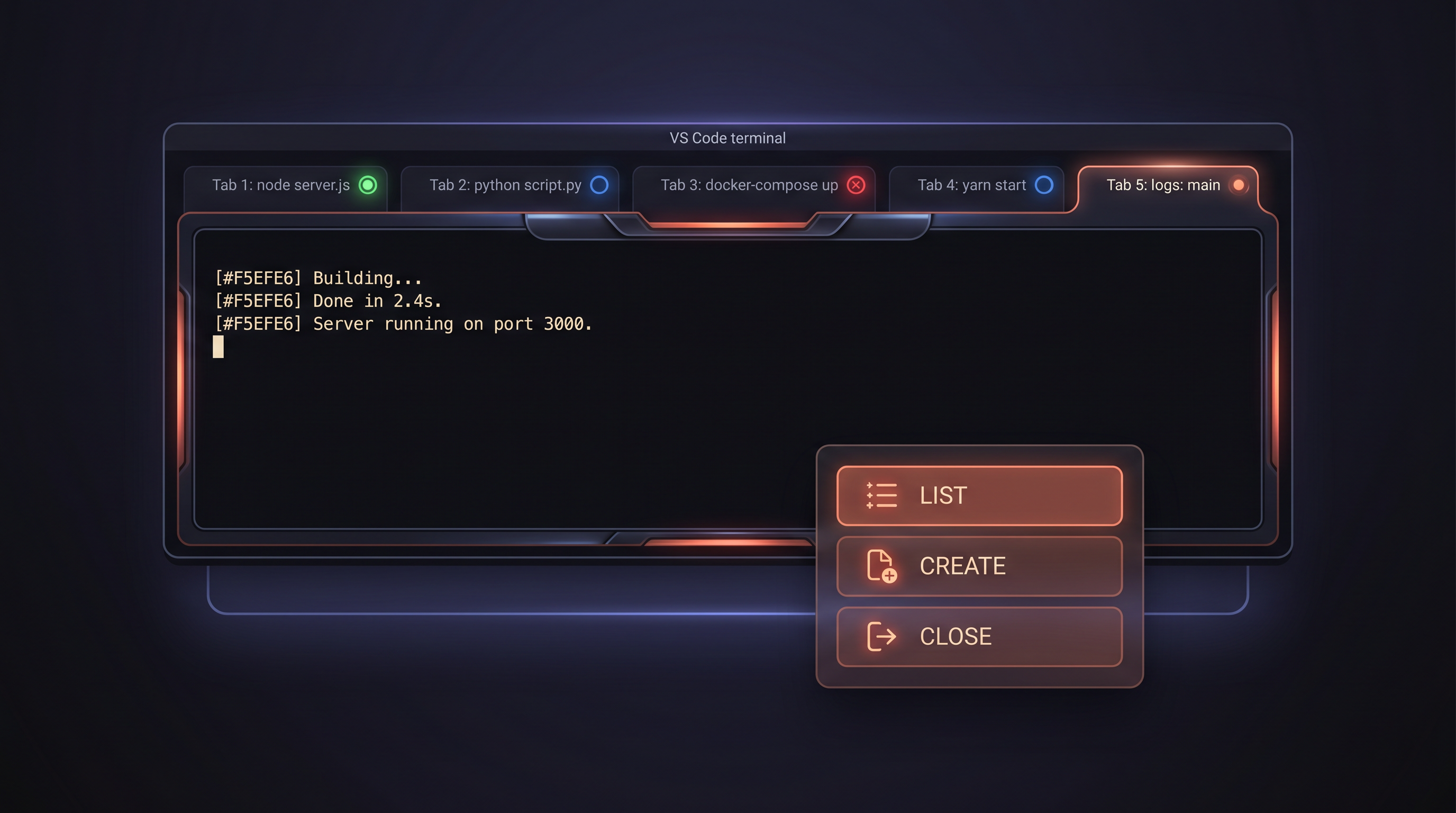
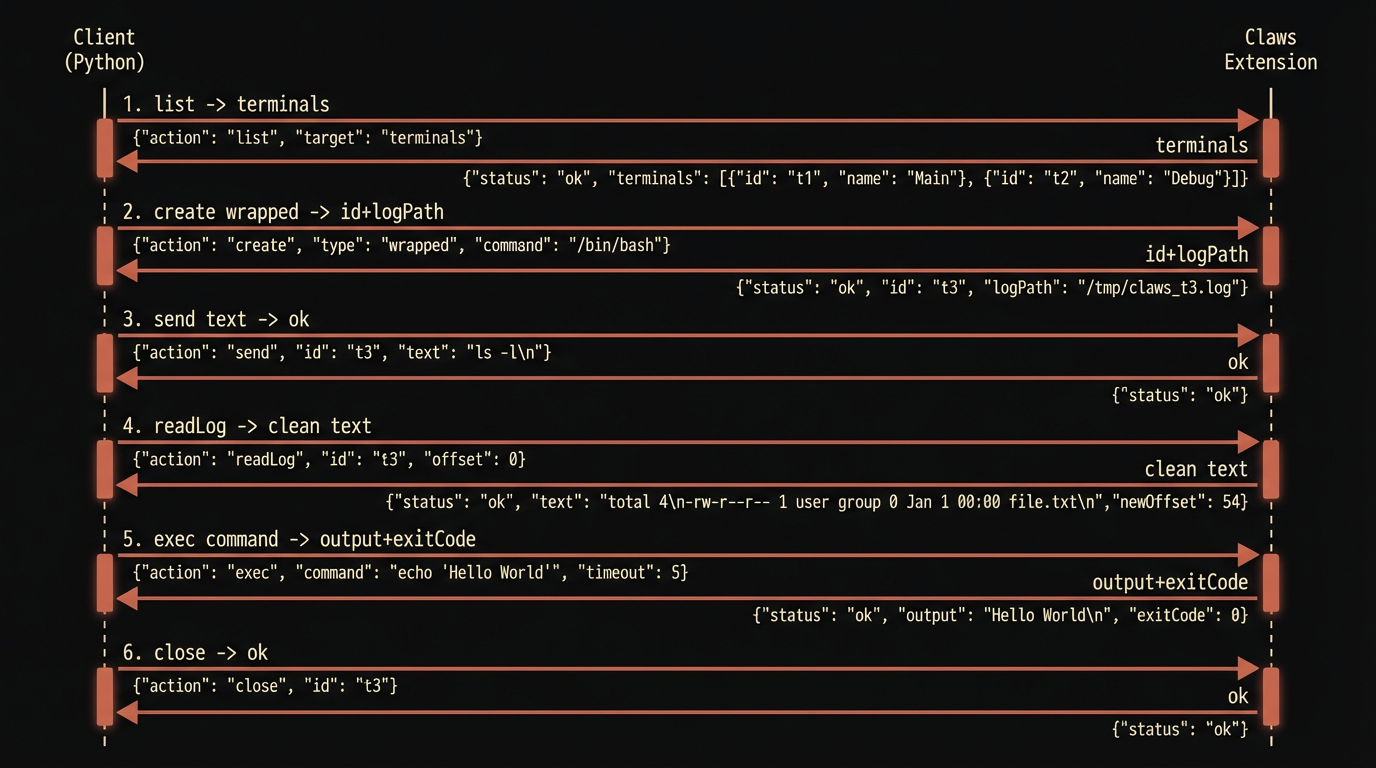
Claws runs inside VS Code as an extension. It creates a Unix socket server that external clients connect to. Wrapped terminals capture full pty output via script(1) — readable even for TUI sessions like Claude Code, vim, and htop.
Core Feature
Wrapped Terminals — read everything
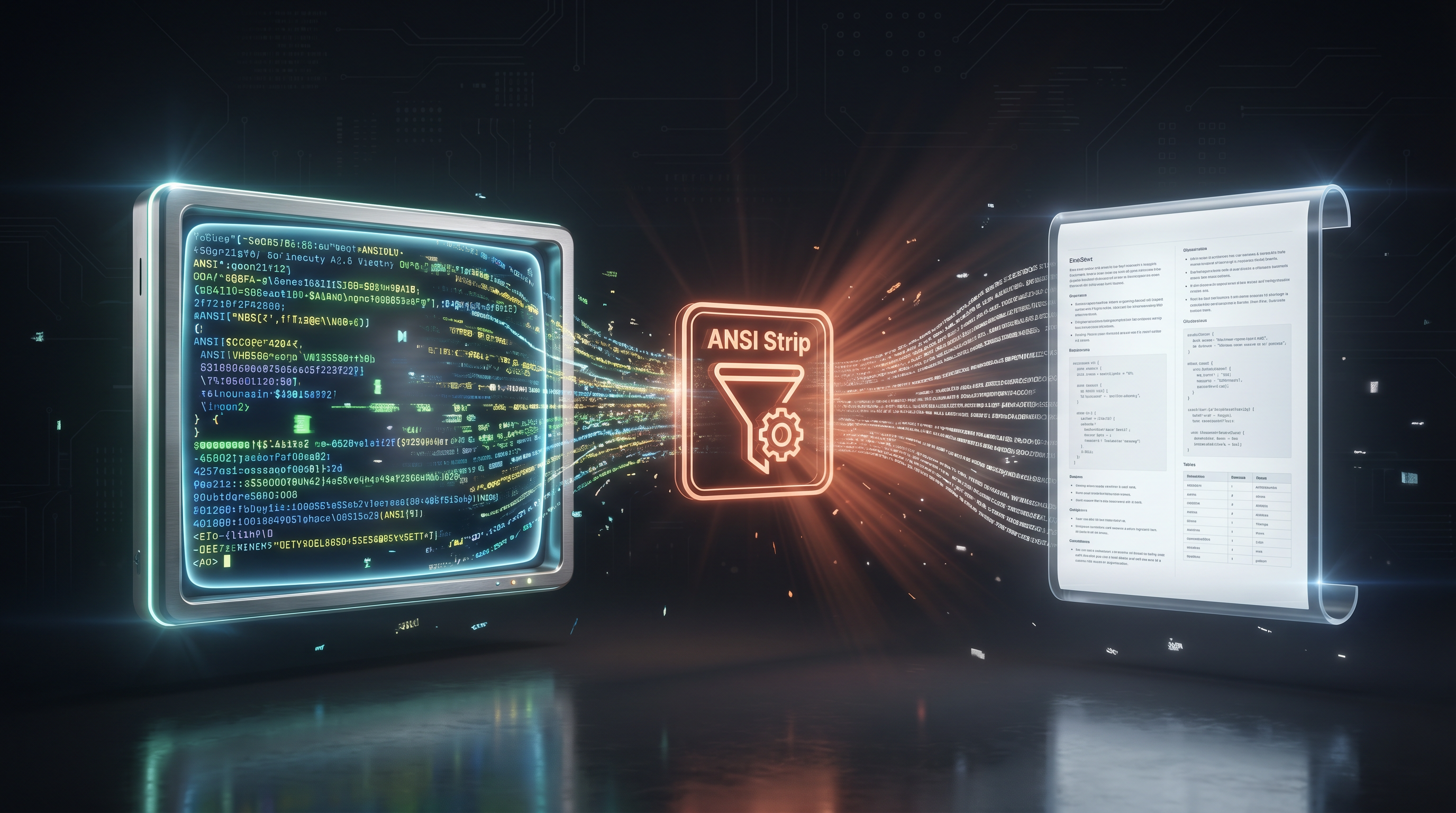
Regular terminals are write-only from the outside. Wrapped terminals log every pty byte to disk. Claws reads it back with ANSI escapes stripped — giving you clean text of everything that happened, including interactive TUI sessions.
The terminal looks and behaves identically to a regular one. The script(1) layer is invisible. Create one from the dropdown: Claws Wrapped Terminal.
Capabilities
Everything you can do
Each capability is a building block. Compose them to orchestrate any terminal workflow — from a single command to a fleet of autonomous AI workers.
Terminal Management
List every terminal with PID, name, and status. Create new ones with custom names and working directories. Focus, show, or close any terminal programmatically. Stable numeric IDs that persist for the session.
Full Pty Capture
Wrapped terminals log every pty byte via script(1). Read back Claude Code conversations, vim sessions, build logs, REPL outputs — all as clean ANSI-stripped text. The terminal looks and feels completely normal.
Command Execution
Run commands and get structured results: stdout, stderr, and exit code. File-based capture that works in every terminal type — no shell integration dependency. Configurable timeouts for long-running processes.
Safety Gate
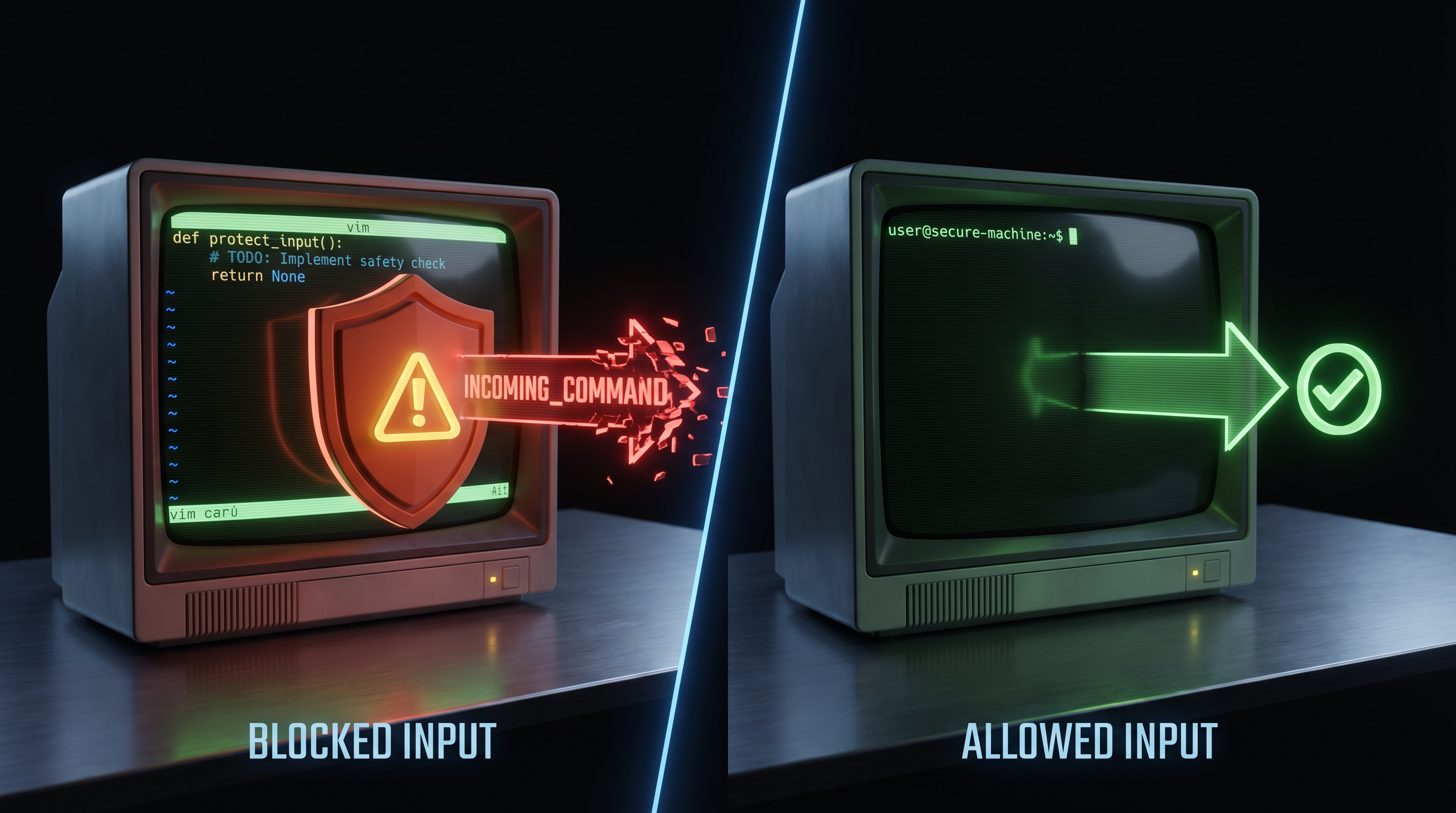
Detects when a terminal is running a TUI (vim, claude, less, htop). Warns before sending text that would land as TUI input instead of a shell command. Non-blocking by default. Strict mode available for hard-block.
MCP Server — Native AI Integration
Register one JSON block in any project's settings. Claude Code instantly gets 8 terminal control tools as native MCP calls. No imports, no client library, no socket code. Your AI gets terminal superpowers in one line.
Cross-Device Control
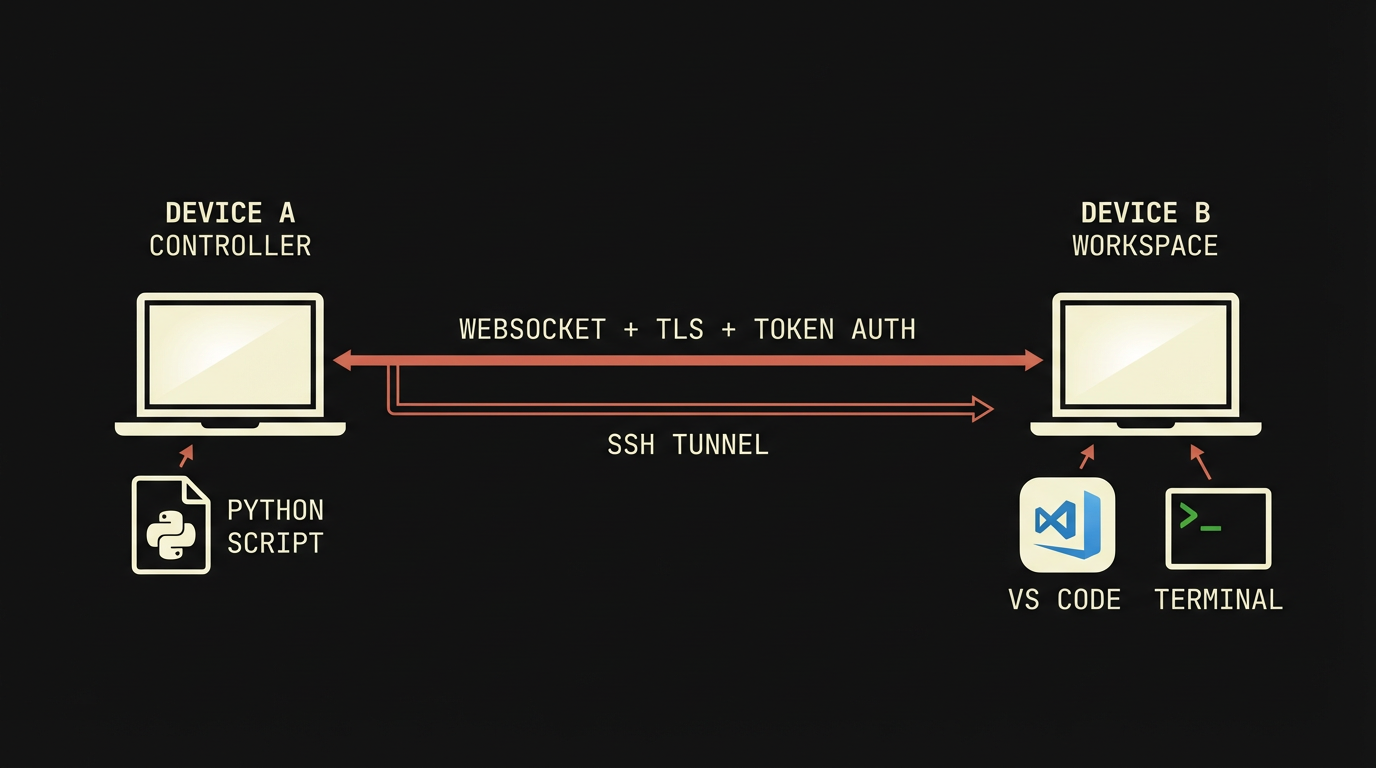
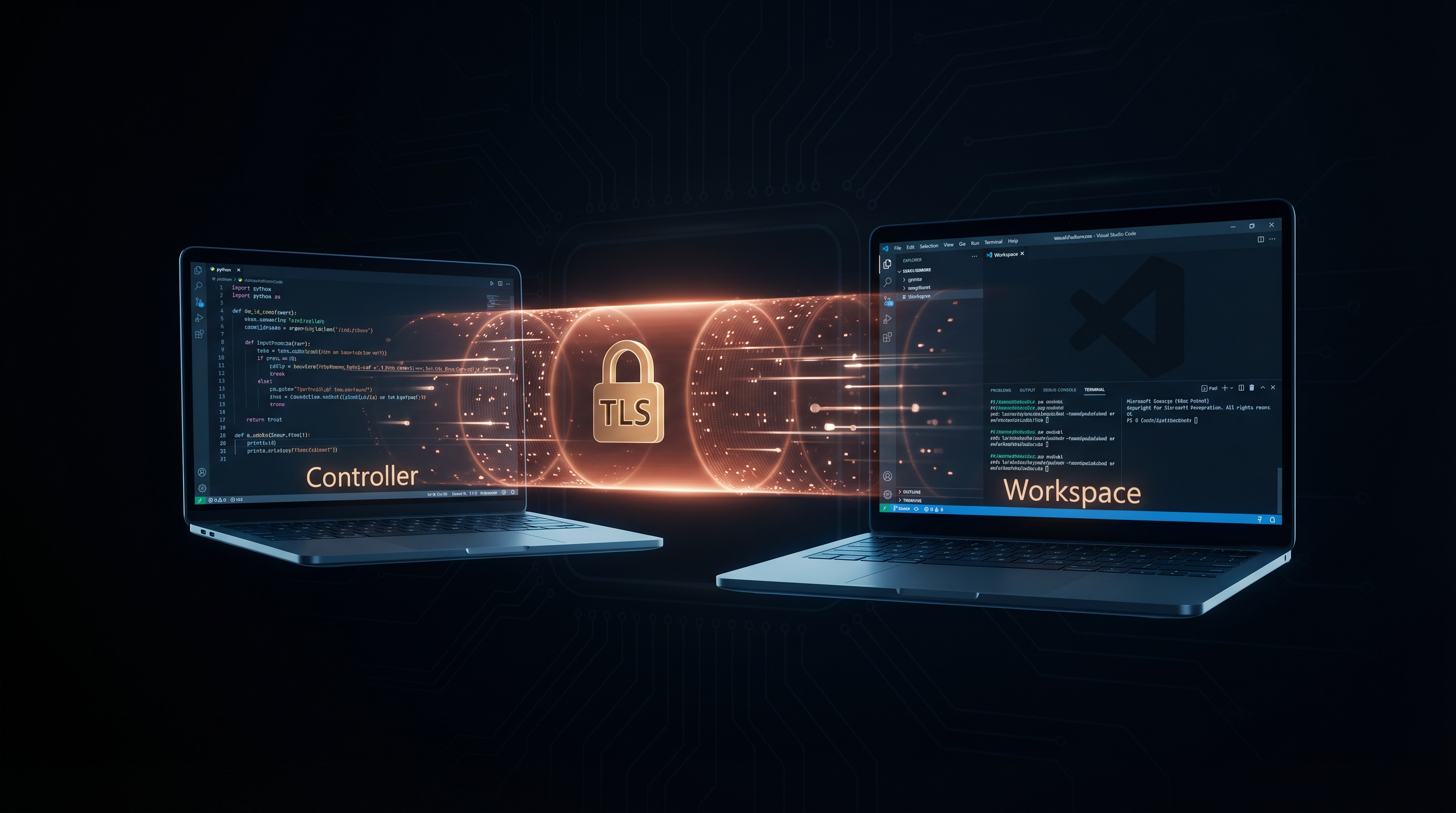
Control terminals on remote machines via WebSocket with token auth + TLS. Team configuration with per-device access control. SSH tunnel pattern works today. WebSocket transport coming in v0.3.
Protocol
Simple JSON over Unix socket
Newline-delimited JSON. Every request has an id for correlation. Works with any language that can open a socket.
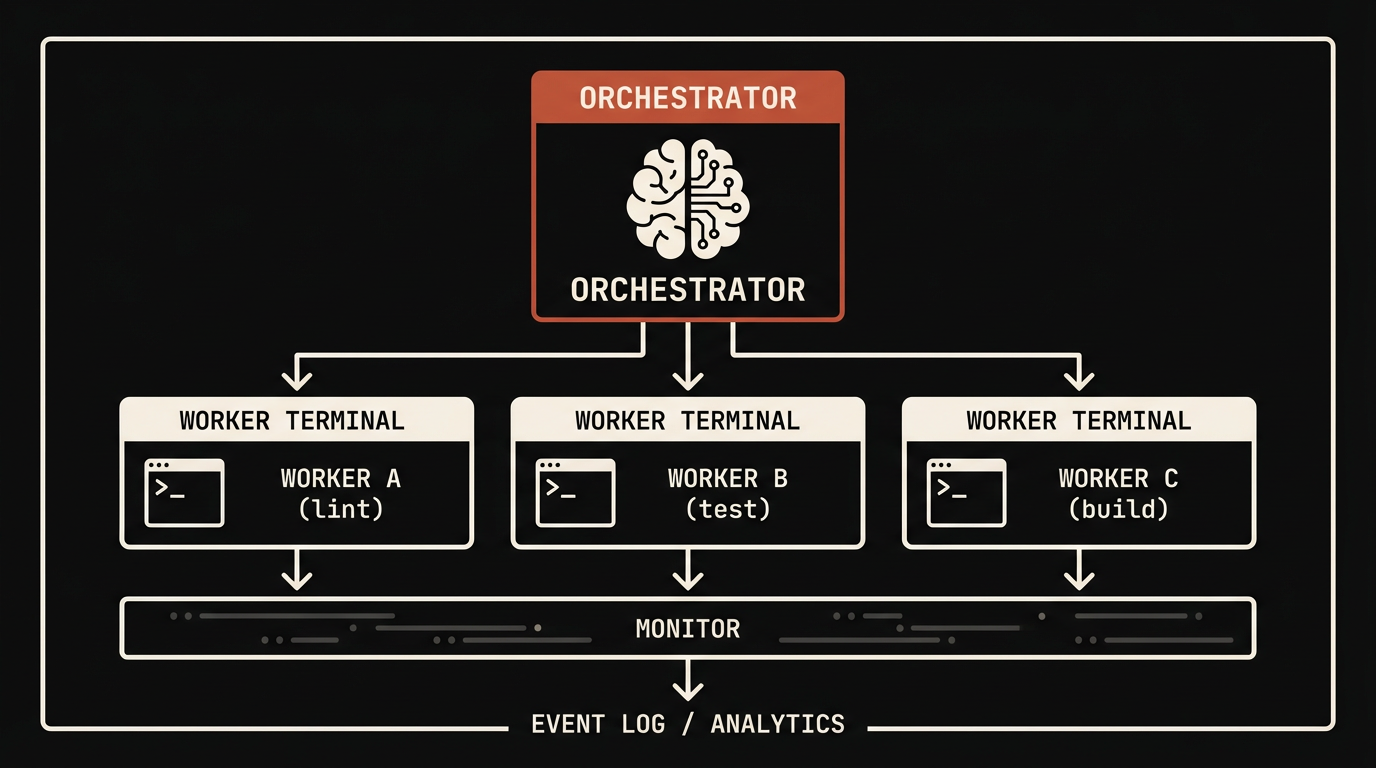
Claws was designed for a specific use case: one AI session controlling multiple terminal sessions in parallel. Spawn workers, send mission prompts, monitor progress via pty log tailing, react to errors in real time, clean up when done.
# Spawn 3 parallel workers
workers = {}
for name, cmd in [("lint", "npm run lint"), ("test", "npm test"), ("build", "npm run build")]:
    term = client.create(f"worker-{name}", wrapped=True)
    client.send(term.id, cmd)
    workers[name] = term

# Monitor all workers
import time
time.sleep(10)
for name, term in workers.items():
    log = client.read_log(term.id, lines=20)
    print(f"=== {name} ===\n{log}")
    client.close(term.id)
Best Practices
Getting the most out of Claws
Always use wrapped terminals for AI workers
Without wrapping, you can send but can't read. Every autonomous worker should be wrapped: true so you can observe its state.
Use stable IDs, not names
Terminal names can be duplicated or changed. The numeric ID from create is unique and stable for the terminal's lifetime.
Clean up terminals when done
Every create should have a matching close. Stale terminals clutter the panel and leak pty log disk space.
Use exec for shell commands, send for TUI input
exec captures output and waits. send is fire-and-forget. Use the right tool for the job.
Add .claws/ to .gitignore
Pty logs can contain passwords, tokens, and secrets. Never commit them. The default .gitignore already excludes .claws/.
Monitor with tail + grep, not polling
For real-time observation, tail -F logfile | grep --line-buffered pattern is more responsive than periodic readLog calls.
Don't use script -F with TUI sessions
The -F flush flag splits Ink-based TUI frames and causes visual corruption in Claude Code. Default buffering is correct.
Don't send into terminals you can't observe
If you don't know what's running in a terminal (shell vs TUI), check with list first. Blind sends into unknown TUIs corrupt their input state.
Case Studies
Real-world usage patterns
Case Study 1
AI Pair Programming — Parallel Codebase Audit
An orchestrator spawned 3 wrapped terminals simultaneously, each running an independent analysis task (latency profiling, token auditing, critical-path optimization). Each worker received a scoped mission prompt via send, ran autonomously for ~5 minutes, and wrote its findings to a designated output file. The orchestrator monitored all 3 via tail -F on their pty logs, reacting to events as they arrived. Total: 3 audit reports (140 + 265 + 420 lines) produced in parallel in ~6 minutes.
Case Study 2
Multi-Commit Implementation Fleet
A single worker terminal received a mission to ship 6 atomic git commits implementing pipeline optimizations. The worker read prior analysis files, edited runbooks and Python code, ran verification after each commit, and produced 6 clean commits in 6 minutes 42 seconds — 393 insertions across committee.py, 4 runbook YAMLs, and a cost-log hook. The orchestrator monitored via pty log events and narrated each commit as it landed.
Case Study 3
Full Infographic Pipeline Test
The orchestrator created a wrapped terminal, launched Claude Code inside it, and fired a /infographic-new command — triggering a 10-tier content generation pipeline. The orchestrator monitored tier-by-tier progress via background polling tasks, inspected intermediate artifacts (research JSON, angle selection, design brief, jury verdicts), and read the final committee verdict + 30/30 visual critic score. Total pipeline time: 25 minutes. Result: a production-ready infographic with committee composite score 8.56.
Case Study 4
Graphify-Driven Code Optimization
A worker terminal was directed to use a knowledge graph (graphify) as its primary reasoning surface to identify pipeline bottlenecks. The worker ran graph queries to surface god nodes, cross-file dependencies, and prior audit findings — producing a 100-line optimization plan that identified $30/run savings from CLAUDE.md trimming, $5.69/run from committee-chair fusion, and a $165 cache-read tax that no top-down code review would have surfaced. The graph-derived insights validated 2 of the 5 optimization proposals independently.
Coming Soon
Cross-device terminal control
Control terminals on remote machines via WebSocket. Token-based auth + TLS. Discover other Claws instances on your LAN automatically.
Available today via SSH tunnel:
ssh -L /tmp/remote-claws.sock:/remote/workspace/.claws/claws.sock user@remote
# Then connect locally via raw socket or MCP
echo '{"id":1,"cmd":"list"}' | nc -U /tmp/remote-claws.sock
Instant Integration
MCP Server — Claude Code gets terminal control natively
Register Claws as an MCP server in any project. Every Claude Code session instantly gets 8 terminal control tools — no client library, no imports, no socket code. Just register and go.
Zero dependencies. Pure Node.js. Works on macOS and Linux. Your AI writes code in one terminal, tests in another, deploys in a third — all through native MCP tool calls.
Stop manually running commands your AI asks you to run. Stop pasting output back into chat. Give your AI direct terminal control — it reads, writes, monitors, and reacts on its own.